
FileZilla Features
Every capability that makes FileZilla the most widely used free FTP client for professional file transfer workflows.

Protocol & File Transfer Support
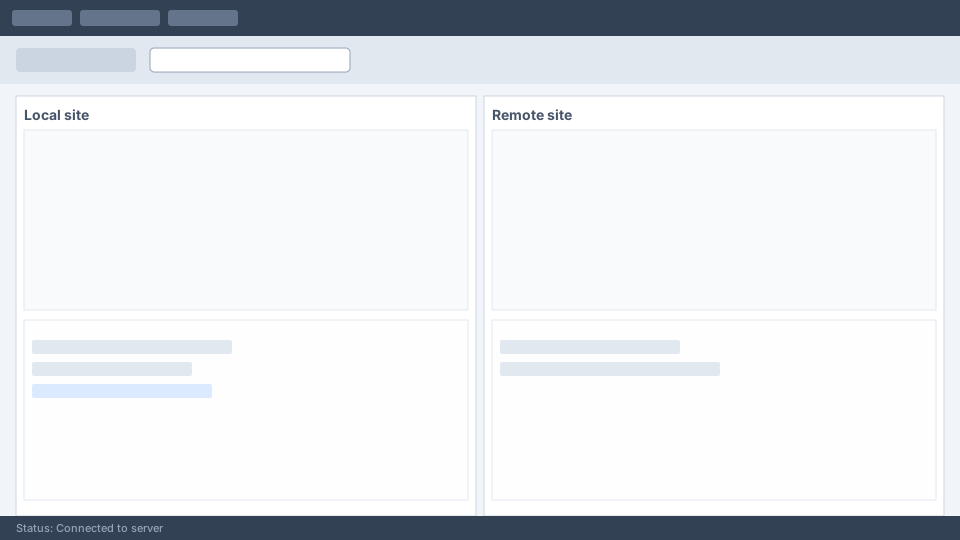
FileZilla supports the three major file transfer protocols used across the web hosting and enterprise server industries. Whether your server requires plain FTP, encrypted FTPS, or SSH-based SFTP, FileZilla handles all connection types from a single unified interface.
- ● FTP (File Transfer Protocol): Standard port 21 connections for legacy servers and shared hosting environments.
- ● FTPS (FTP over SSL/TLS): Encrypted FTP connections using explicit or implicit TLS modes for data-in-transit protection.
- ● SFTP (SSH File Transfer Protocol): Secure transfers over SSH on port 22 with key-based or password authentication.
- ● IPv6 support: Full compatibility with modern IPv6 network addressing.
- ● Large file handling: Resume interrupted transfers and support files larger than 4 GB.
Site Manager & Connection Management
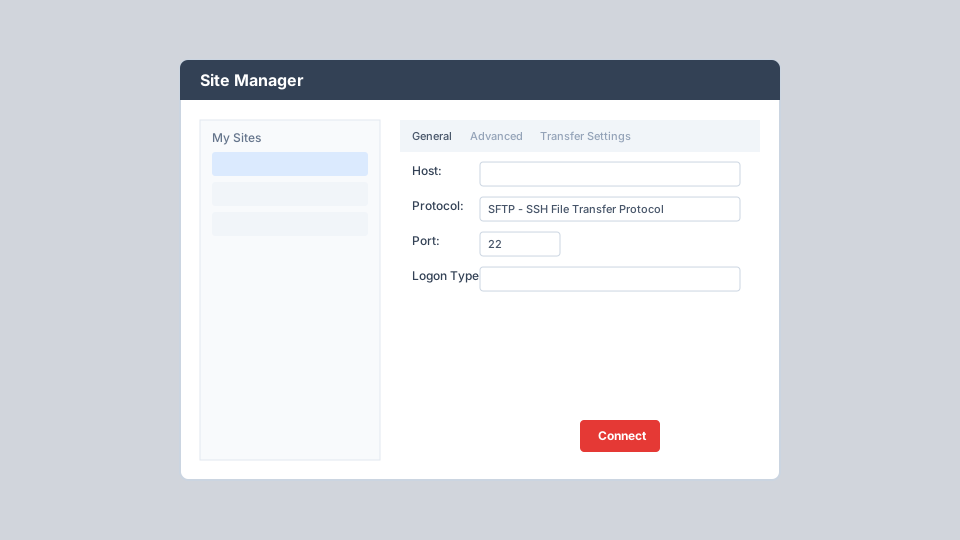
The Site Manager is FileZilla's central hub for storing and organizing server connection profiles. Unlike Quick Connect, which only remembers the last 10 entries, Site Manager lets you save unlimited sites with detailed per-connection configuration.
- ● Store host, port, protocol, and logon credentials securely per site
- ● Configure default local and remote directories for instant navigation
- ● Set character sets, proxy bypass, and server time offset per connection
- ● Enable synchronized browsing between local and remote directory trees
- ● Organize sites into folders and bookmarks for multi-client workflows
- ● Access via File menu, toolbar button, or keyboard shortcut Ctrl+S
Transfer Queue & Status Monitoring
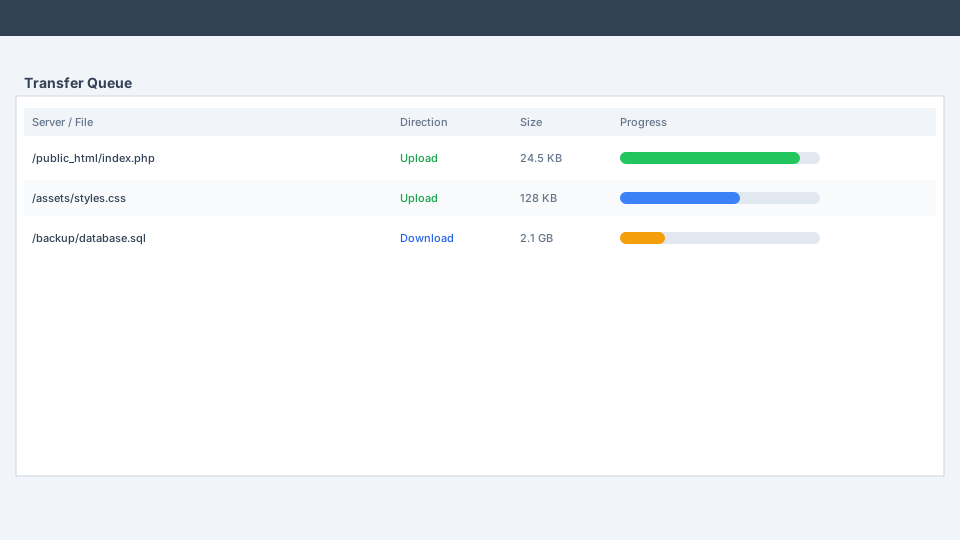
FileZilla uses multiple FTP sessions simultaneously: one dedicated session for browsing the server while others handle active file transfers. This architecture lets you navigate directories freely even during large upload or download operations.
- ● Real-time progress bars with transfer speed, elapsed time, and bytes remaining
- ● Queue files via drag-and-drop, double-click, right-click, or Add to Queue
- ● Reorder queue priority and pause or cancel individual transfers
- ● Automatic resume of interrupted transfers for reliability on unstable networks
- ● Tabbed browsing to transfer files between multiple servers at once
- ● Status log at the bottom of the window reports every connection event
Secure Authentication & Encryption
Security is configurable at every level. FileZilla supports multiple logon types and encryption modes so you can match your server's requirements without compromising on protection.
Logon Types
Normal (username/password), Account (FTP only), Ask for password, Interactive, and Key file (SFTP SSH key authentication).
Encryption Modes
Configure FTPS with explicit TLS, implicit TLS, or use SFTP for full SSH tunnel encryption of all data and commands.
Proxy Support
HTTP/1.1, SOCKS5, and FTP proxy support with per-site bypass options for corporate network environments.
Speed Limits & Transfer Optimization
Fine-tune transfer behavior to match your network capacity and server policies. FileZilla reduces timeout errors and gives you full control over bandwidth consumption.
- ● Configurable speed limits: Set maximum upload and download speeds globally or per transfer.
- ● Simultaneous connection limits: Restrict parallel connections to comply with shared hosting restrictions.
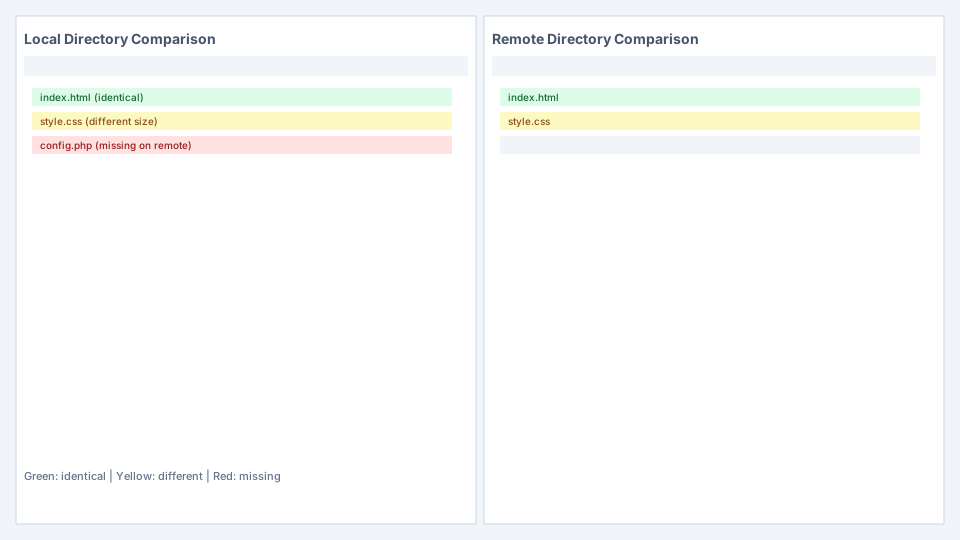
- ● Directory comparison: Compare local and remote directories side-by-side with color-coded status indicators.
- ● Filename filters: Include or exclude files matching specific patterns during transfers.
- ● Remote file search: Search for files on the remote server without manual directory browsing.
- ● Logging to file: Record all transfer activity for audit and troubleshooting purposes.
Cross-Platform & Network Tools
FileZilla runs natively on Windows 8.1 and later, macOS, Linux, and BSD systems. Built with wxWidgets for a consistent experience across operating systems.
Network Configuration Wizard
Automatically detect firewall and router settings to configure passive/active FTP modes correctly.
Remote File Editing
Edit server files with Notepad or any external editor. FileZilla downloads to a temp file and re-uploads on save.
47+ Languages
Available in Arabic, Chinese, French, German, Japanese, Spanish, Russian, and dozens more languages.
Drag & Drop
Drag files between local and remote panes, or directly into the transfer queue for batch processing.