
FileZilla 功能
FileZilla 成为专业文件传输工作流中最广泛使用的免费 FTP 客户端的所有能力。

协议与文件传输支持
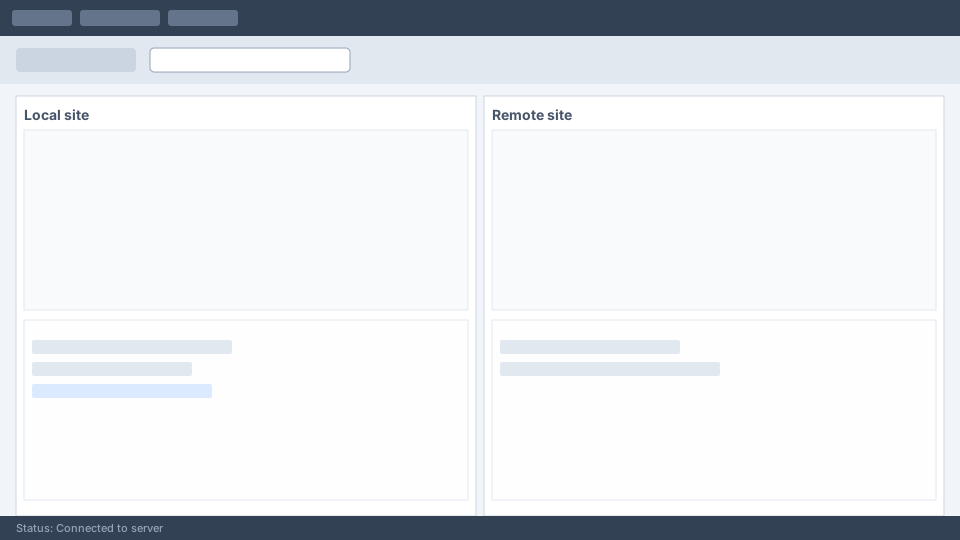
FileZilla 支持网站托管与企业服务器领域三大主流文件传输协议。无论服务器需要明文 FTP、加密 FTPS 还是基于 SSH 的 SFTP,FileZilla 都可在统一界面中处理所有连接类型。
- ● FTP (File Transfer 协议): Standard port 21 connections for legacy servers and shared hosting environments.
- ● FTPS (FTP over SSL/TLS): 已加密 FTP connections using explicit or implicit TLS modes for data-in-transit protection.
- ● SFTP (SSH File Transfer 协议): 安全 transfers over SSH on port 22 with key-based or password authentication.
- ● IPv6 support: Full compatibility with modern IPv6 network addressing.
- ● Large file handling: Resume interrupted transfers and support files larger than 4 GB.
Site Manager 与连接管理
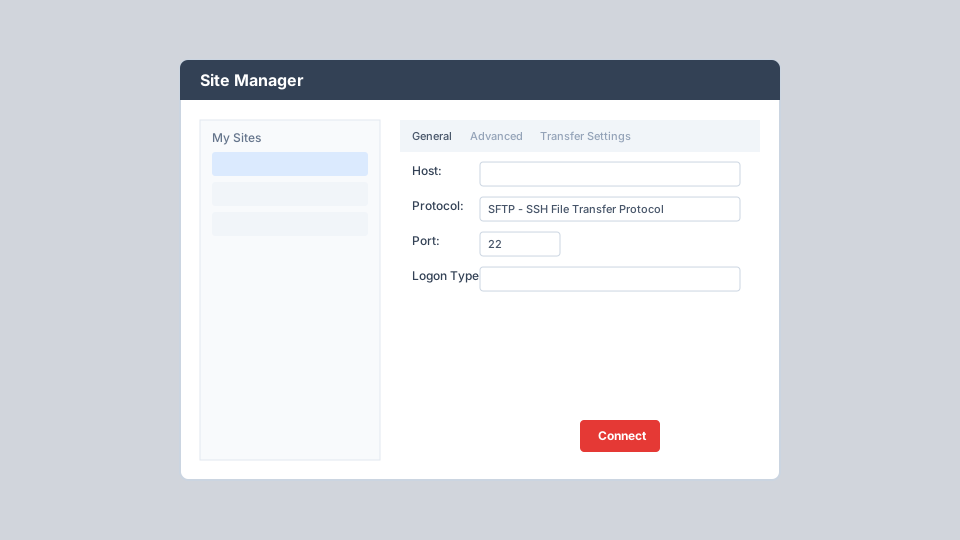
Site Manager 是 FileZilla 用于存储和组织服务器连接配置的核心中心。不同于仅记住最近 10 条记录的 Quick Connect,Site Manager 可保存无限站点并提供每个连接的详细配置。
- ● Store host, port, protocol, and logon credentials securely per site
- ● Configure default local and remote directories for instant navigation
- ● Set character sets, proxy bypass, and server time offset per connection
- ● Enable synchronized browsing between local and remote directory trees
- ● Organize sites into folders and bookmarks for multi-client workflows
- ● Access via File menu, toolbar button, or keyboard shortcut Ctrl+S
传输队列与状态监控
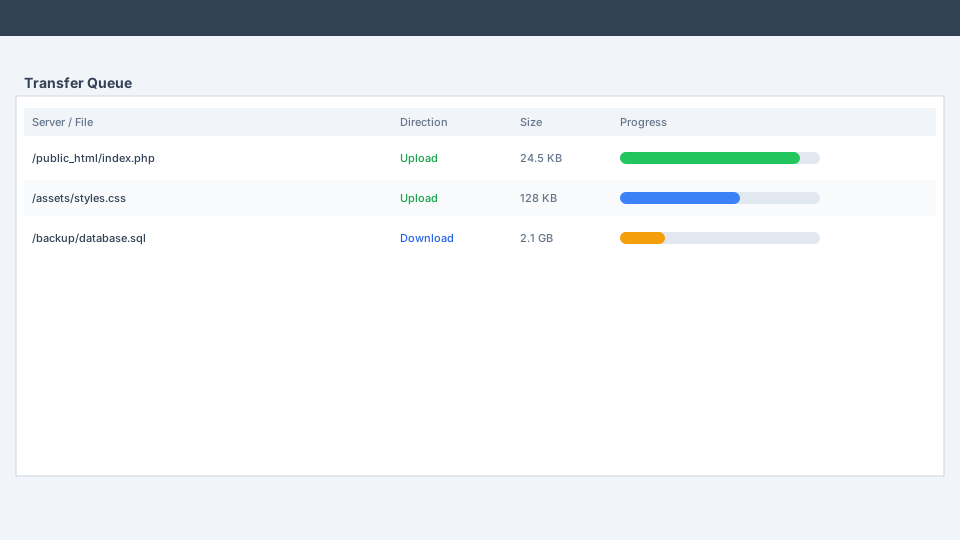
FileZilla 可同时使用多个 FTP 会话:一个专用于浏览服务器,其他用于执行活动文件传输。该架构让你在大规模上传或下载期间仍可自由浏览目录。
- ● Real-time progress bars with transfer speed, elapsed time, and bytes remaining
- ● Queue files via drag-and-drop, double-click, right-click, or Add to Queue
- ● Reorder queue priority and pause or cancel individual transfers
- ● Automatic resume of interrupted transfers for reliability on unstable networks
- ● Tabbed browsing to transfer files between multiple servers at once
- ● Status log at the bottom of the window reports every connection event
安全认证与加密
安全可在各层级进行配置。FileZilla 支持多种登录类型与加密模式,使你能匹配服务器要求且不牺牲防护能力。
Logon Types
Normal (username/password), Account (FTP only), Ask for password, Interactive, and Key file (SFTP SSH key authentication).
Encryption Modes
Configure FTPS with explicit TLS, implicit TLS, or use SFTP for full SSH tunnel encryption of all data and commands.
Proxy 支持
HTTP/1.1, SOCKS5, and FTP proxy support with per-site bypass options for corporate network environments.
速度限制与传输优化
Fine-tune transfer behavior to match your network capacity and server policies. FileZilla reduces timeout errors and gives you full control over bandwidth consumption.
- ● Configurable speed limits: Set maximum upload and download speeds globally or per transfer.
- ● Simultaneous connection limits: Restrict parallel connections to comply with shared hosting restrictions.
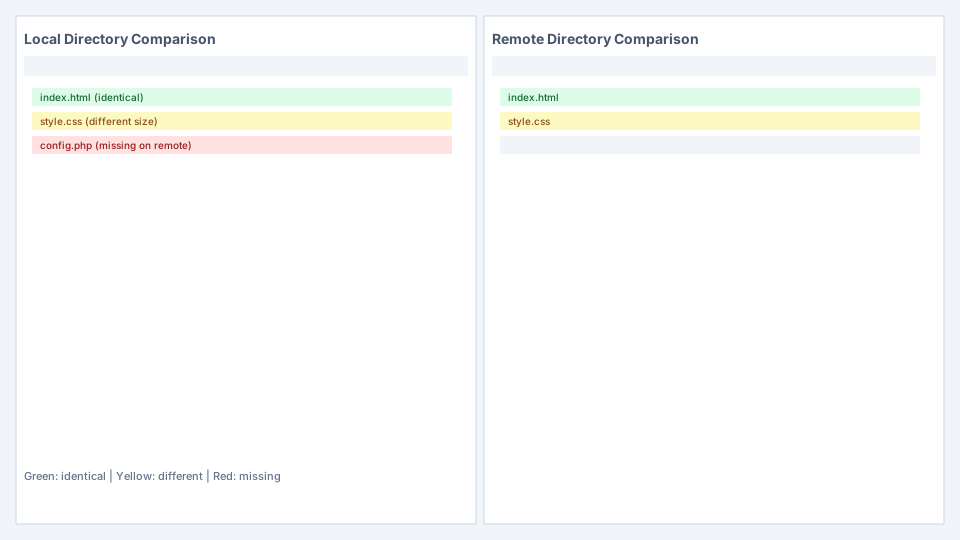
- ● Directory comparison: Compare local and remote directories side-by-side with color-coded status indicators.
- ● Filename filters: Include or exclude files matching specific patterns during transfers.
- ● Remote file search: Search for files on the remote server without manual directory browsing.
- ● Logging to file: Record all transfer activity for audit and troubleshooting purposes.
跨平台与网络工具
FileZilla 可原生运行于 Windows 8.1 及以上、macOS、Linux 与 BSD 系统。基于 wxWidgets 构建,跨操作系统体验一致。
网络配置向导
Automatically detect firewall and router settings to configure passive/active FTP modes correctly.
远程文件编辑
Edit server files with Notepad or any external editor. FileZilla downloads to a temp file and re-uploads on save.
47+ 种语言
Available in Arabic, Chinese, French, German, Japanese, Spanish, Russian, and dozens more languages.
拖放
Drag files between local and remote panes, or directly into the transfer queue for batch processing.